
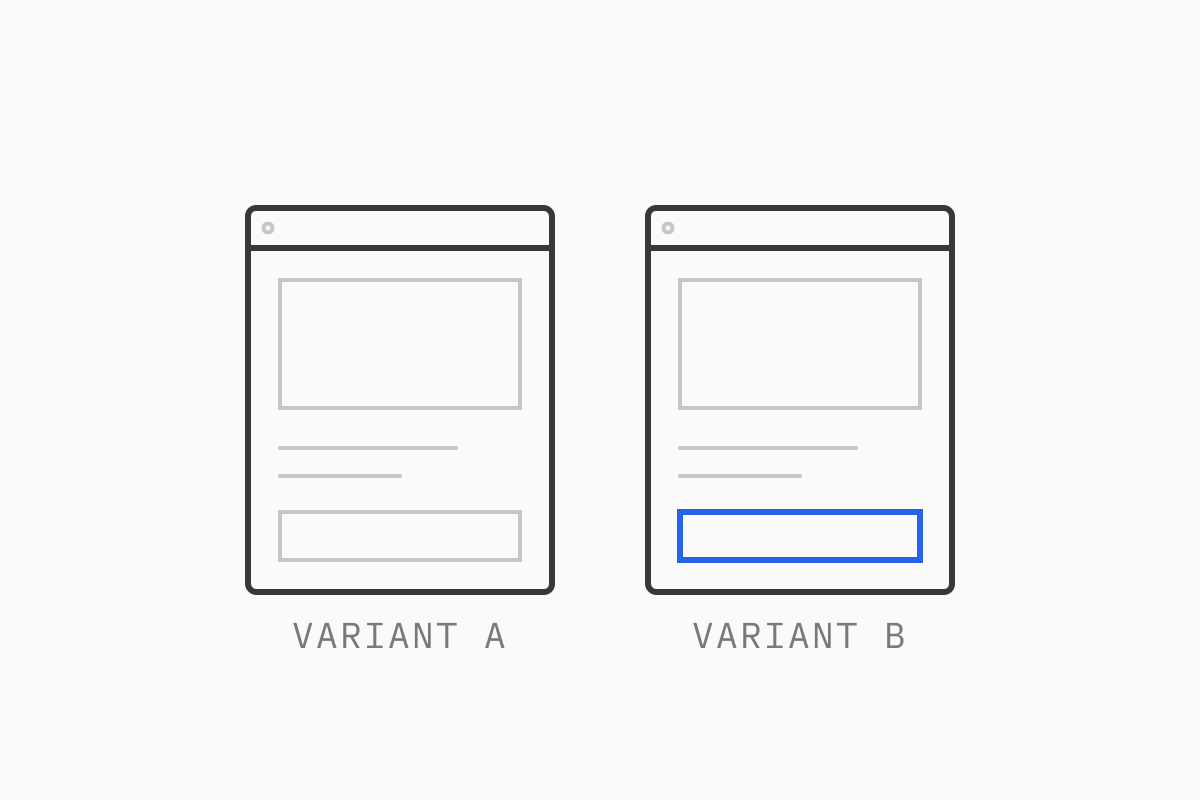
Shopify now has native theme experiments through Rollouts, apps cover template and price testing, and headless storefronts can split traffic at the edge. The tool matters less than the method.
This guide covers what to test first, how to size a test, the main ways to run one on Shopify today, how to protect speed and SEO, how to read results, and when you shouldn’t A/B test at all.
01What an A/B test tells you
An A/B test shows two versions of a page or flow to randomly assigned visitors at the same time and compares what they do. Because both groups shop in the same week, under the same promotions and ad spend, the difference between them can be put down to your change rather than the season or a campaign.
That is what makes it more useful than a before-and-after comparison. If you ship a new product page and conversion rises, you can’t tell whether the page did it or the email that went out the same day. A test removes that guesswork, and it also catches the changes that would have quietly cost you revenue if you’d rolled them out to everyone.
02What to test first
Start where traffic and intent are both high. For most DTC brands that means product pages, the cart (or cart drawer), collection pages and the homepage for returning visitors. A change on a page that sees 3% of sessions will take months to reach a result. The same change on your top product pages might take two weeks.
Write every test as one hypothesis:
Because [evidence], we believe [change] for [audience] will [effect on metric].
For example: “Because session recordings show mobile visitors scrolling past the size guide link, we believe moving size guidance next to the variant picker on mobile will increase add-to-cart rate.” The evidence part forces you to test something you have a reason to believe in. The single change means that when the result comes back, you know what caused it.
Avoid bundling a new hero, new copy and a new layout into one variant. If it wins you won’t know why, and if it loses you’ll throw away the good idea with the bad ones. The exception is a deliberate redesign test where the question is “old page or new page”, which is a fair question as long as you frame it that way.
Good first candidates on Shopify:
Product page layout: where reviews, delivery information and size guidance sit relative to the add-to-cart button.
Cart drawer content: free shipping progress bars, cross-sells, trust messaging.
Collection page filters and product card information on mobile.
Shipping thresholds and offers, which can move average order value as much as design changes do.
03How to size a test before you start
Decide three numbers before launch: your baseline conversion rate, the smallest lift worth detecting (the minimum detectable effect, or MDE), and how many visitors you need per variant to detect it reliably.
Smaller effects need much bigger samples. Using the standard settings of 95% significance and 80% power, a page converting at 3% needs roughly:
Relative lift you want to detect | Visitors per variant (approx.) |
|---|---|
20% (3.0% to 3.6%) | 14,000 |
10% (3.0% to 3.3%) | 53,000 |
5% (3.0% to 3.15%) | 208,000 |
Run your own numbers in any sample size calculator. If the visitors you need are more than your page receives in four to six weeks, either test a bolder change, test a metric earlier in the funnel (add-to-cart instead of orders) or don’t run the test.
Three rules keep the result reliable:
Run full weeks. DTC traffic behaves differently on weekends, paydays and email days. Run for at least two complete weekly cycles, even if you hit your sample size sooner.
Don’t stop early when it looks good. Results swing widely in the first days. If you check every morning and stop the first time you see significance, you’ll declare a lot of winners that aren’t real. Pick the end date in advance and stick to it.
Avoid big calendar events. A test that runs through Black Friday Cyber Monday tells you about BFCM shoppers, who behave differently from the rest of your year.
04The main ways to A/B test on Shopify
At the time of writing there are three practical routes. Which one fits depends on your plan, what you want to test and whether your storefront is a theme or headless.
Shopify Rollouts (native theme and checkout experiments)
Shopify announced Rollouts in its Winter ’26 Edition and released it on March 31, 2026. You’ll find it under Markets > Rollouts in the admin. Rollouts schedules theme changes, and its Experiment type splits traffic between your live theme (control) and an edited copy (treatment). A later update extended experiments to checkout and customer account configurations and added market-specific targeting.
At the time of writing, Rollouts itself is available from the Basic plan, experiments need the Grow plan or higher, and market targeting needs Advanced or Plus. Theme experiments report conversion rate, bounce rate, add-to-cart rate and reached-checkout rate. Shopify’s documentation doesn’t describe how significance is calculated, so we’d still size tests in advance and judge results against your own plan rather than the dashboard alone. Rollouts doesn’t support headless or custom storefront checkouts.
For a brand on a Shopify theme and the Grow plan or higher, this is worth trying first: no extra script, no app subscription, and the variant is served by Shopify rather than swapped in the browser.
Theme-based testing apps
A Shopify A/B testing app adds what Rollouts doesn’t: template-level and URL tests, more detailed reporting, segmentation and integrations with your analytics stack. Shoplift, for example, tests templates, themes and URLs and adds price testing on higher tiers. Look for apps that render variants without a visible flash of the original page and that carry the Built for Shopify badge, which signals Shopify has reviewed the app’s performance and integration.
Price, shipping and offer testing apps
Testing prices and shipping is a different job from testing layouts, because the variant has to carry through to cart and checkout. Apps such as Intelligems are built for this: price tests, free shipping thresholds, shipping rates, discounts and post-purchase offers. In our experience, these tests can affect margin more than a page change, but they also need more care with customer service and with shoppers who see two different prices. Agree how you’ll handle that before launch.
Server-side and edge testing for headless storefronts
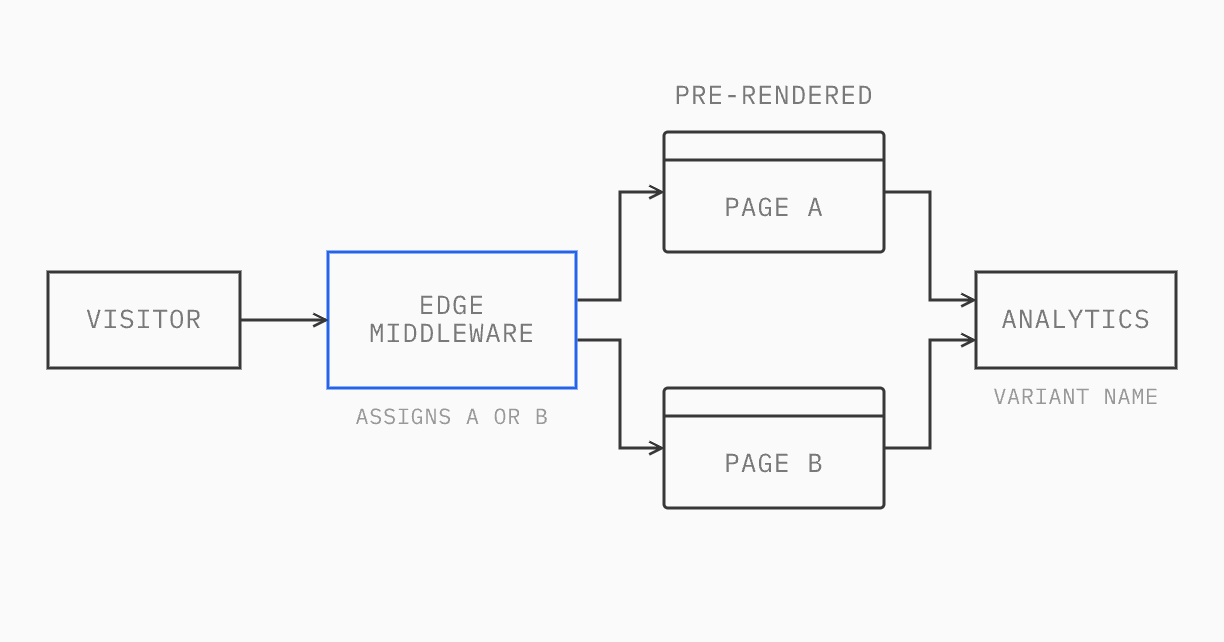
On a headless storefront with a React front end, the cleanest approach is to assign the variant before the page is rendered: at the edge or on the server. The visitor receives the right version in the first response, so there’s no flicker and no layout shift.
On Next.js hosted on Vercel, that means assigning the variant in routing middleware and serving a pre-rendered page per variant so the CDN can still cache both. Vercel’s guide on A/B testing without hurting Core Web Vitals walks through it. Netlify’s branch-based split testing worked on the same principle, assigning visitors to a deployed Git branch and keeping them there with a cookie, and our earlier projects used it. At the time of writing Netlify no longer lets new projects enable it, so for new builds we’d use edge middleware instead.
The same mechanism supports canary releases. On a headless Shopify Plus storefront we built for a US DTC brand, we ran A/B tests on the questions we wanted answered and shipped larger changes as canaries first: the new version goes to a small share of traffic, we watch errors, speed and conversion, then widen it. A canary is a release practice rather than an experiment: it isn’t sized to prove a lift, but it limits how many shoppers a bug can reach, and it fits naturally alongside a testing program.
Whichever host you use, pass the variant name into your analytics as a dimension on every event, or you’ll have no way to compare the groups afterward.
If you’re weighing whether headless is worth it in the first place, our guide to headless vs a Shopify theme covers the trade-offs. For most brands, a Shopify theme plus Rollouts or an app is enough.
05Protecting speed and SEO
Flicker and page speed. Client-side tools that load the original page and then swap content cause a visible flash, or hide the page with an anti-flicker snippet until the script runs. Both hurt Largest Contentful Paint and can skew the test itself, because the variant is slower than the control. Prefer native or server-rendered variants, and measure Core Web Vitals for both groups. Our eCommerce site speed guide covers how.
Canonical tags and redirects. Google’s guidance on website testing is clear: don’t show Googlebot something different from what users see, add a canonical tag on variant URLs pointing to the original, and use temporary (302) redirects rather than permanent ones for URL-split tests.
Test duration. Run a test as long as it needs and no longer. When it ends, ship the winner properly in the theme or codebase and remove the test code. A forgotten test left running for months adds weight to every page view and splits your traffic for no reason.
06Reading results without fooling yourself
One primary metric. Choose it before launch and judge the test on it. For most page tests that’s conversion rate or revenue per visitor. Revenue per visitor captures changes in order value, but it’s noisier, so it needs more traffic.
Guardrail metrics. Pick two or three numbers that must not get worse: average order value, return rate, page speed, unsubscribe rate. A variant that lifts conversion by pushing discounts harder may cost you margin.
Segments, with care. Look beyond the average. A checkout change can win on desktop and lose on mobile, and the blended result hides both. Break results down by device, market and new versus returning customers. But treat segment wins as new hypotheses to test, not conclusions. Slice the data enough ways and something will look significant by chance.
Novelty effect. Returning visitors sometimes click a new element because it’s new, not because it’s better. If the lift fades over the test, or appears only among returning customers, run longer or retest.
Write it down. Record the hypothesis, dates, sample size, result and decision for every test, including the losers. Six months on, that log stops your team retesting ideas that already failed.
07When not to A/B test
If your store doesn’t have the traffic to reach a reliable sample in four to six weeks, a test will mostly produce noise. Many DTC brands are in that position on everything except their top few pages.
In that case, use qualitative research instead: session recordings, on-site surveys, five or six moderated user tests, customer service logs and a structured review of each funnel step. These tell you why people aren’t buying, which a test never will. Then ship the fixes you’re confident in, watch the numbers and save testing for the high-traffic pages and the decisions where you’re unsure.
08Where to start
Pick your highest-traffic, highest-intent page, write one hypothesis with evidence behind it, check you have the traffic to answer it in a few weeks, and run it to a fixed end date. If you’re on a Shopify theme and on Grow or higher, try Rollouts before adding an app. If you’re headless, assign variants at the edge.
Our developers have 15 years in eCommerce, and CRO and experimentation are part of our Growth services, alongside Shopify development. We can help you set up testing on your store, from tracking variants in analytics to running tests on a theme or headless storefront.
Not sure what to test first? Start with a CRO audit: we review your analytics, speed and key pages, and end with a ranked list of what to fix directly and what to test. Our guide to the eCommerce CRO audit explains what we check, page by page.
09FAQ
Does Shopify have built-in A/B testing?
Yes. At the time of writing, Shopify Rollouts (Markets > Rollouts) lets stores on the Grow plan or higher run experiments between their live theme and an edited copy, and between checkout configurations. It doesn’t support headless storefronts.
What is the best Shopify A/B testing app?
It depends on what you’re testing. For layout and template tests, apps like Shoplift sit inside the theme editor. For prices, shipping and offers, Intelligems is built for that job. Try Rollouts first if a whole-theme test answers your question.
How long should an A/B test run on Shopify?
Until it reaches the sample size you calculated before launch, and for at least two full weeks so every day of the week is represented. Don’t stop early because the result looks good, and avoid running tests across BFCM or major sales.